live chat

Sunday, March 16, 2014

Walton Walpad 8b Preview


Walton Tab is always a great device. The fourth tab of Walton has been announced today and guess what; it’s the Walton Primo Walpad 8b! The most spectacular feature of this tab is the battery which is 5200 mAh! A strong battery backup was needed for a long time for the Primo Walpad users. Thankfully, Walton has listen to the public opinion and made a great device with great battery backup. This tab also contains latest technologies like Android Jelly Bean 4.2.2, 1.2 GHz Quad Core Processor, 1 GB RAM, 8 GB Internal Storage, 32 GB External Storage, 7.85 inch IPS screen, CMOS sensor 5 MP camera with 1.3 MP front camera, 1080P video recording and playback and many more! Here are the specifications of Walton Primo Walpad 8b:


Walton  Walpad 8b


Walton  Walpad 8b


Basic information
Operating System: Android 4.2.2 (jelly bean)
Processor: Quad-Core 1.2GHz
GPU: PowerVR SGX 544 MP
RAM: 1GB
Storage space (ROM): 8GB
External memory: Support Micro SD card, up to 32GB
Network parameters
Dual SIM, Dual Standby
Network type: UMTS + GSM
Network band: GSM 850/900/1800/1900MHz, UMTS 2100 MHz
Network speed: GPRS / EDGE/ 3G /HSPA+
Screen parameters
Screen size: 7.85-inch
Resolution: XGA (1024 × 768), Support 16.7M Colors
Touch type: Full Capacitive touch screen
Screen type: IPS
Camera Parameters
Sensor: Back illuminated CMOS
Rear camera: 5.0 Mega pixels Auto-Focus
Front camera: 1.3 Mega pixels
LED Flash: Support
Video recording: Full HD (1080p) (1920×1080)
Multimedia:
1080p Full HD Video playback
Radio: Support with recorder
Connectivity:
WLAN b/g/n (Wi-Fi), Bluetooth V4 LE, Micro USB V2
OTG, Mini HDMI, Wireless Display Sharing
Sensors:
Motion sensors: Accelerometer (3D)
Light sensors: Light (Brightness)
Position sensors: Proximity
GPS module: GPS with A-GPS network-assisted GPS navigation function
Battery: Li-Ion Polymer 5200 mAh
Weight: 360.3 g (with battery)
Dimension: 202 X 137 X 8.5mm
Price: 15,990/= BDT

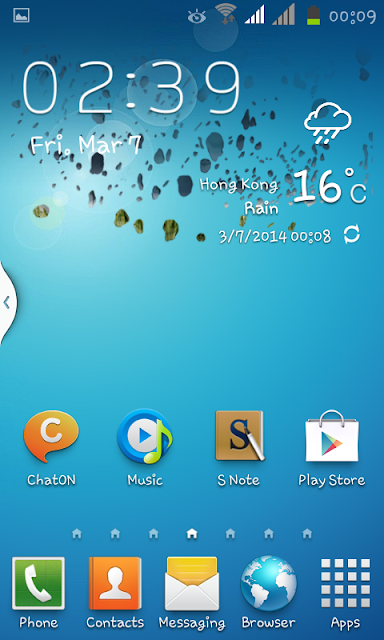
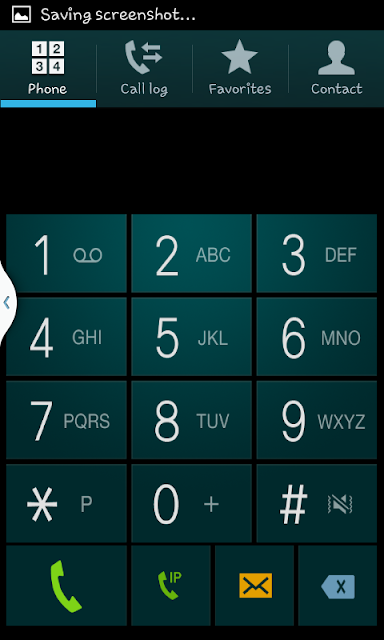
Samsung Galaxy S4 custom Rom For Maximux 908

Samsung Galaxy S4 custom Rom For Maximux 908


Features:
*Super Smooth UI
*Stable
*Feels like Galaxy S4
*Super Smooth
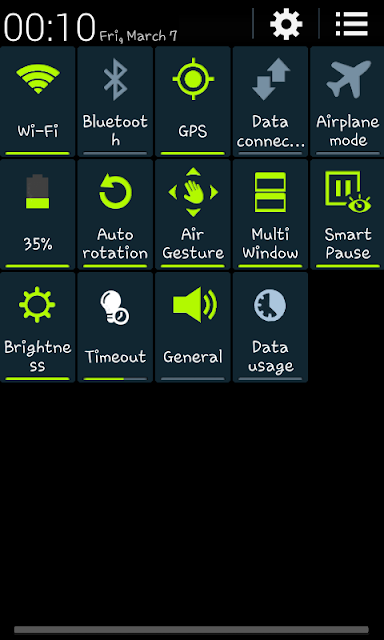
*Air Gesture
*S4 Status bar
*S4 Settings
*S4 Ui and much more
Samsung Galaxy S4 custom Rom For Maximux 908

Samsung Galaxy S4 custom Rom For Maximux 908


What requirement:
১।  Rooted + CWM Custom Recovery installMax908 smartphone
if your phone not rooted please follow the below link pls


=================== Flash Method ===================== 
1. Download Rom pm to paste in the SD Card 
The. On the phone to reboot and CWM Recovery 
3. Wipe Data / Factory Reset And Wipe Partition 
4. The Advance Menu Dalvik Catch Clear 
5. Go to mounts and storage then format system / cache / data 
6. Select Intall From SD and Select File And Click YES 
7. Complete the Auto Reboot will 


Wednesday, March 12, 2014

Walton Primo E2 Galaxy Note III Custom Rom


Features:---------
1. Aroma Installer
2. Based On Lenevo Mobile Jelly Bean 4.2.2
3. Dual Sim 3G..
4. Pre Rooted (Latest su Binar Added) Deodexed
5. Feels Like Samsung Note 3
6. Smooth UI
7. Smart Font.
8. Battery Calibration
9. Viper4Android
10. Smart Air Gesture
11. Multi Window12. Super Keyboard

.

Screenshot :::::
Walton Primo E2 Galaxy Note III Custom Rom


:::::::::::::::::::::: Necessary Tools & Rom For Primo E2 ::::::::::::::::

Framaroot :::
Link    :    http://www.mediafire.com/download/rk8lgons4lm5iyz/Framaroot_1.6.0_1.apk
Step 1: Download Framaroot apk
Step 2: Install Framaroot.apk
Step 3: Select "Install SuperSU" and tap "Boromir"......
Step 4: Reboot your device...
Now Your Device Rooted :D

SuperSU :::
Link     : http://www.mediafire.com/download/jfhzcduilw03uxc/SuperSU_1.93_193.apk
Step 1 : Download SuperSU apk
Step 2 : Install SuperSU
Now SuperSU Install Ok :D

Mobileuncle Tools :::
Link     : http://www.mediafire.com/download/9qv30felq5tm6o9/Mobileuncle_Tools_20140111v2.9.9_331.apk
Step 1 : Download Mobileuncle Tools
Step 2 : Install Mobileuncle Tools
Step 3 : Open Mobileuncle Tools & Press ok root Permission
Step 4 : Open Mobileuncle Tools > Recovery Update .

Recovery img : http://www.mediafire.com/download/825u622r02cj3bu/recovery.img
Rom Link : http://www.mediafire.com/download/cx496otjld8ayzk/Primo_E2_Note_III.zip

::::::: Procedure for Flashing a custom rom via CWM recovery :::::::


#go to cwm recovery by pressing (power button+ volume down button)
#select wipe/data factory reset >>> then select yes.
#Select wipe cache partition>>>then select yes.
#then select mounts and storage>format/system>yes format
#then select advanced option>>> then wipe dalvic cache and wipe battery stat.
#then Return to the main menu again.
#select Install from sd card > install zip from SD card > select –Custom Rom> yes.
#then a process will occur.
#wait untill it finished.
#then reboot your primo E2.

Walton Primo E2 F3i Stock Rom

Please follow the instruction to install this Stable ROM in Primo E2 .Please do your own risk i am not confortable for any kind of damage in your phone


Add caption
FLASH AT YOUR OWN RISK ----- 
I AM NOT RESPONSIBLE FOR ANY KIND OF DAMAGE TO YOUR PHONE. 


Screenshot :::::
Walton Primo E2 F3i Stock Rom

Walton Primo E2 F3i Stock Rom


Framaroot :::
Link    :    http://www.mediafire.com/download/rk8lgons4lm5iyz/Framaroot_1.6.0_1.apk
Step 1: Download Framaroot apk
Step 2: Install Framaroot.apk
Step 3: Select "Install SuperSU" and tap "Boromir"......
Step 4: Reboot your device...
Now Your Device Rooted 

SuperSU :::
Link     : http://www.mediafire.com/download/jfhzcduilw03uxc/SuperSU_1.93_193.apk
Step 1 : Download SuperSU apk
Step 2 : Install SuperSU
Now SuperSU Install Ok 

Mobileuncle Tools :::
Link     :http://www.mediafire.com/download/9qv30felq5tm6o9/Mobileuncle_Tools_20140111v2.9.9_331.apk
Step 1 : Download Mobileuncle Tools
Step 2 : Install Mobileuncle Tools
Step 3 : Open Mobileuncle Tools & Press ok root Permission
Step 4 : Open Mobileuncle Tools > Recovery Update .

Recovery img : http://www.mediafire.com/download/825u622r02cj3bu/recovery.img
Rom Link :  http://www.mediafire.com/download/uyr9bg83ea3ggu1/Primo_E2_F3i_Stock_Rom.zip

::::::: Procedure for Flashing a custom rom via CWM recovery :::::::


#go to cwm recovery by pressing (power button+ volume down button)
#select wipe/data factory reset >>> then select yes.
#Select wipe cache partition>>>then select yes.
#then select mounts and storage>format/system>yes format
#then select advanced option>>> then wipe dalvic cache and wipe battery stat.
#then Return to the main menu again.
#select Install from sd card > install zip from SD card > select –Custom Rom> yes.
#then a process will occur.
#wait untill it finished.
#then reboot your primo E2.

New Stable Rom for Walton Primo E2

Please check the below screenshot and follow the below steps carefully. i am not responsible for any kind of damage of your smartphone. but if you follow this screenshot with carefully there is minimum risk to damage your smartphone.any way of you brick your smartphone please contact with me.Thanks.

Primo E2
Primo E2
Primo E2
Primo E2
Primo E2


:::::::::::::::::::::: Necessary Tools & Rom For Primo E2 ::::::::::::::::

Framaroot :::
Link    :    http://www.mediafire.com/download/rk8lgons4lm5iyz/Framaroot_1.6.0_1.apk
Step 1: Download Framaroot apk
Step 2: Install Framaroot.apk
Step 3: Select "Install SuperSU" and tap "Boromir"......
Step 4: Reboot your device...
Now Your Device Rooted 

SuperSU :::
Link     : http://www.mediafire.com/download/jfhzcduilw03uxc/SuperSU_1.93_193.apk
Step 1 : Download SuperSU apk
Step 2 : Install SuperSU
Now SuperSU Install Ok 

Mobileuncle Tools :::
Link     :http://www.mediafire.com/download/9qv30felq5tm6o9/Mobileuncle_Tools_20140111v2.9.9_331.apk
Step 1 : Download Mobileuncle Tools
Step 2 : Install Mobileuncle Tools
Step 3 : Open Mobileuncle Tools & Press ok root Permission
Step 4 : Open Mobileuncle Tools > Recovery Update .

Recovery img : http://www.mediafire.com/download/825u622r02cj3bu/recovery.img
Rom Link :  http://www.mediafire.com/download/7tb1gr4f547532c/Primo_E2_FLY_Stock_Rom.zip


::::::: Procedure for Flashing a custom rom via CWM recovery :::::::


#go to cwm recovery by pressing (power button+ volume down button)
#select wipe/data factory reset >>> then select yes.
#Select wipe cache partition>>>then select yes.
#then select mounts and storage>format/system>yes format
#then select advanced option>>> then wipe dalvic cache and wipe battery stat.
#then Return to the main menu again.
#select Install from sd card > install zip from SD card > select –Custom Rom> yes.
#then a process will occur.
#wait untill it finished.
#then reboot your primo E2.


New Stable Rom KitKat 4.2.2 For Walton R2


R2
FLASH AT YOUR OWN RISK
I AM NOT RESPONSIBLE FOR ANY KIND OF DAMAGE TO YOUR PHONE


                          CyanoKitKat 4.2.2 For Primo R2
                             Android version JB 4.2.2


First must be rooted your phone, before do it....

CyanoKitKat Feature:
#CyanoKitKat
By ArifAkash


#KitKat feature:
-Latest Android 4.4 launcher
-Latest Android 4.4 Apps
-Latest Android 4.4 Camera with Photosphere
-Latest Stock Camera
-Transparent CM style Settings
-Kitkat + Sense style Statusbar and Icons
-Kitkat style QuickSettings
-Collection of Wallpapers
-kitkat Live Walls
-New kitkat email app
-New Kitkat Sounds
-Sense + Xperia Fonts
-Advanced Reboot Menu
-3G SIM Switch
-Sim Toolkit
-New Bootlogo + Bootanimation


1.  CyanoKitKat 4.2.2 For Primo R2: http://www.mediafire.com/download/m6cyn242mmuhvkm/CyanoKitKat_4.2.2_For_R2.zip

2. Font changer font link: http://www.mediafire.com/download/s20s1nwm0ybyyzb/.fontchanger.zip (Extract this folder to Sd card).

Stock Camara app link: http://www.mediafire.com/download/mr10ui8375u4hro/Stock_Camara_for_CyanoKitKat.zip (If you liked stock camara Please flash it with Recovery)


Rom Install process:-

1. Copy the downloaded file on your SD-CARD.
2. Power off your phone.
3. Turn your phone on in recovery mode (by pressing VOLUME UP + POWER buttons).
4. Make a backup your current rom. Select “backup and restore”. And then select “backup”. When it is done select “Go Back”.
5. Select Wipe/Data Factory reset.
6. Select Wipe Cache Partition.
7. Go to advanced and select wipe dalvik cache.
8. Go to Mounts & storage & Format (system,Cache & data)
8. Go back to the main menu.
9. Select “Install zip from sdcard” –> “Choose zip from sdcard” –> Now select “CyanoKitKat 4.2.2 For R2.zip”–> Select “yes to install CyanoKitKat …..”
10. Wipe dalvik cache
12. Reboot.
13. Enjoy


Note: 1. Some theme applied after take rebooting time so long Wait for it 5 Minutes.
         2. If stack in boot animation after applied theme Go to (press Volume up button(+) & power Button up to 20 scconds) recovery mode & flash (Xposed-Disabler-Recovery.zip) & reboot.
        3. Viper working compatible mode(Go to viper app> press menu button> select FX Compatible Mode>select Compatible & Now reboot.

Walton Primo E2 Flashable Stock Rom Process With Sccreenshot

                                      Walton Primo E2 Flashable Stock Rom


Screenshot :::


:::::::::::::::::::::: Necessary Tools & Rom For Primo E2 ::::::::::::::::

Framaroot :::
Link    :    http://www.mediafire.com/download/rk8lgons4lm5iyz/Framaroot_1.6.0_1.apk
Step 1: Download Framaroot apk
Step 2: Install Framaroot.apk
Step 3: Select "Install SuperSU" and tap "Boromir"......
Step 4: Reboot your device...
Now Your Device Rooted 

SuperSU :::
Link     : http://www.mediafire.com/download/jfhzcduilw03uxc/SuperSU_1.93_193.apk
Step 1 : Download SuperSU apk
Step 2 : Install SuperSU
Now SuperSU Install Ok 

Mobileuncle Tools :::
Link     :http://www.mediafire.com/download/9qv30felq5tm6o9/Mobileuncle_Tools_20140111v2.9.9_331.apk
Step 1 : Download Mobileuncle Tools
Step 2 : Install Mobileuncle Tools
Step 3 : Open Mobileuncle Tools & Press ok root Permission
Step 4 : Open Mobileuncle Tools > Recovery Update .

Recovery img : http://www.mediafire.com/download/825u622r02cj3bu/recovery.img
Rom Link : http://www.mediafire.com/download/0c0f02rxdgk3p2u/Primo_E2_Flashable_Stock_Rom.zip

::::::: Procedure for Flashing a custom rom via CWM recovery :::::::


#go to cwm recovery by pressing (power button+ volume down button)
#select wipe/data factory reset >>> then select yes.
#Select wipe cache partition>>>then select yes.
#then select mounts and storage>format/system>yes format
#then select advanced option>>> then wipe dalvic cache and wipe battery stat.
#then Return to the main menu again.
#select Install from sd card > install zip from SD card > select –Custom Rom> yes.
#then a process will occur.
#wait untill it finished.
#then reboot your primo E2.